Why a markup app is now table stakes
Annotating photos used to be an afterthought — pop the screenshot into Photoshop on a desktop, draw a rough red arrow, paste it into Slack. In 2026 that round-trip is a competitive disadvantage. Field inspectors ship reports in minutes, UX teams annotate review screenshots before the meeting starts, and privacy-conscious creators blur identifying details before posting. The right photo markup app turns a 30-minute desktop chore into a 30-second mobile habit.
We spent the last six weeks evaluating every major photo annotation app on the App Store and Google Play. The criteria: drawing depth, AI face blur, speech bubbles, multi-photo PDF generation, language support, price, and how the editor feels under your thumbs. Here are the ten that survived.
Our scoring criteria
- Tool depth — how many distinct annotation primitives ship out of the box (pen, arrow, shapes, text, mosaic, callouts, stamps, measurement, speech bubbles).
- AI features — automatic face detection & blur, smart crop suggestions, foreground masking.
- PDF generator — can you turn many photos into one shareable, password-protected document without leaving the app?
- Languages — global teams need the editor in their team's tongue.
- Privacy posture — does the app process photos on-device, or stream everything to a cloud you don't control?
- Price & ads — free, one-time purchase, subscription, ad-supported?
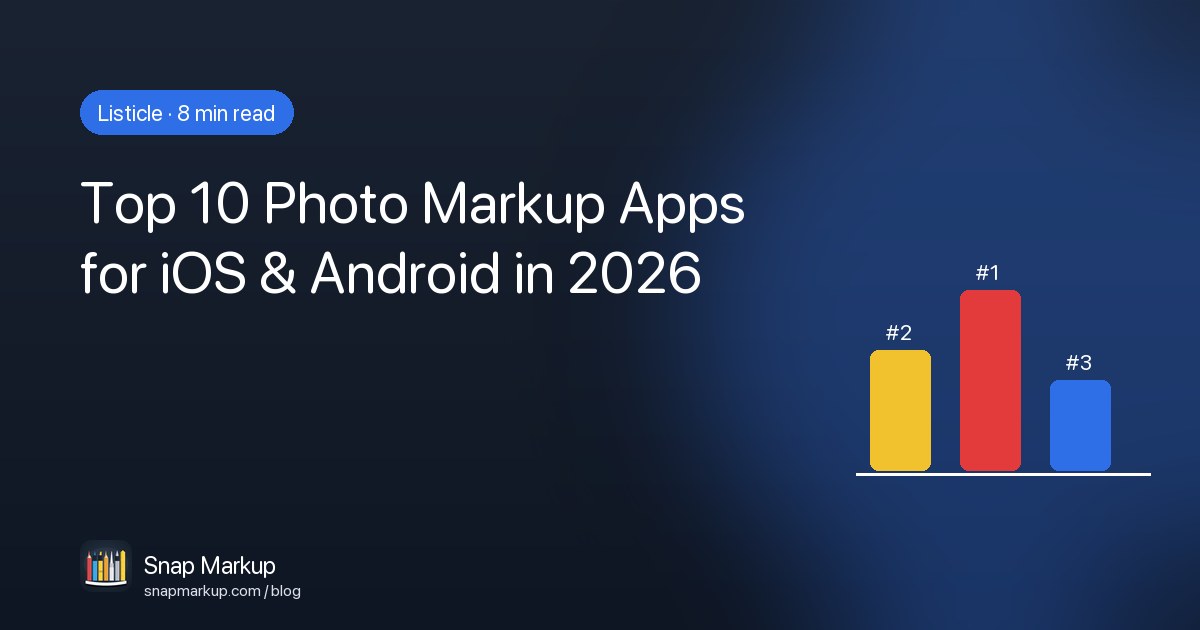
1. Snap Markup — best overall
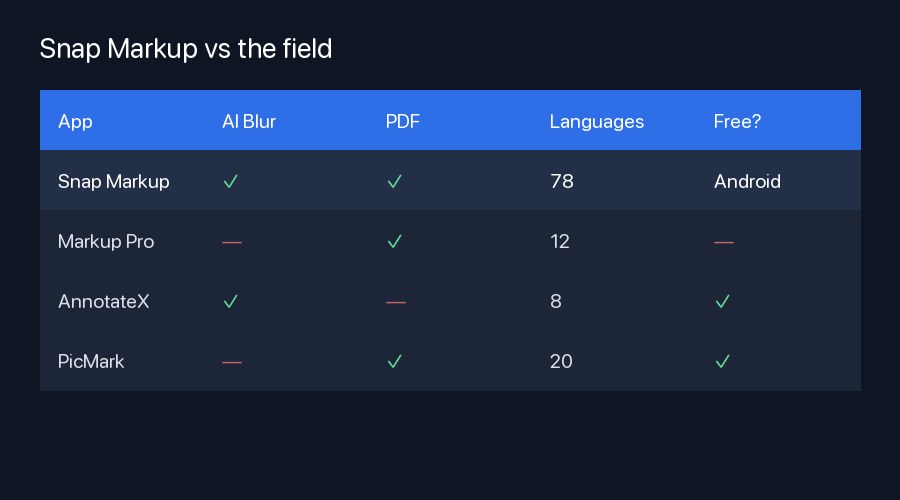
Snap Markup is what happens when a small team obsesses over the right defaults. The editor opens instantly, every annotation is a non-destructive layer, and the 21-tool set covers everything from arrows and stickers to a calibrated measurement ruler. The two killer features for 2026: AI Face Blur (Vision-powered, pixelates every face in one tap) and a multi-photo PDF generator with password protection. Free on Google Play, one-time purchase on the App Store. Localized in 78 languages.
Best for: field inspectors, UX teams, anyone who wants a privacy-first editor without a subscription.
2. Markup Pro
Polished and well-marketed, Markup Pro covers the basics — pen, arrows, mosaic, text. The PDF export is solid but caps at 8 pages on the free tier; password protection requires the $40/year subscription. No AI face detection. 12 languages.
Best for: casual screenshot edits where a subscription is fine.
3. AnnotateX
The only free-with-ads option that survived our cull. Drawing tools are crisp; the AI face blur is reasonably accurate but flags false positives in busy scenes. Heavy banner ads inside the editor. No PDF generation. 8 languages.
Best for: quick blur jobs when you don't mind ads.
4. PicMark Studio
PicMark's strength is photo retouching — exposure, contrast, filters — with markup tools tucked under a secondary menu. The PDF generator is genuinely good (orientation control, A4 / Letter / custom sizes), but no password protection. 20 languages, free with ads.
Best for: photographers who occasionally need to annotate.
5. SketchPhoto
Apple-Pencil first, with pressure-sensitive paths and palm rejection that genuinely works. Limited beyond drawing — no AI blur, no PDF, no stamps. 6 languages. Free with a $30 unlock for export at full resolution.
Best for: iPad users who want a pure drawing experience.
6. RedactNow
A privacy-only specialist. AI face detection is the most accurate of the bunch, with optional license-plate and document detection. Tiny annotation toolset beyond redaction. PDF with password support. 14 languages. Subscription only ($60/year).
Best for: compliance & legal teams who only redact.
7. Skitch (legacy)
Evernote's classic still ships, but development effectively stopped in 2022. Drawing tools feel dated, no AI features, no localization beyond English. We're listing it because so many people still install it from muscle memory — but consider migrating.
8. PhotoNote
Aimed squarely at note-takers: callouts and stamps with handwriting recognition. Strong language coverage (35) but no AI blur, and PDF is single-photo only. Free with limits, $20/year for full export.
Best for: students and journalists.
9. CanvasMark
Canvas-style infinite editor with mood boards and multi-photo collages. Annotation feels secondary. PDF is paid. No AI. 10 languages.
10. Snagger Lite
Site-snagging app with photo markup baked in. Better at the workflow (forms, tags, share-to-team) than at standalone annotation. PDF generation, but no AI blur. 4 languages.
The shortlist
If we had to recommend one app to a friend in 2026, it would be Snap Markup. The combination of AI Face Blur, multi-photo PDF with password protection, and 78-language coverage — at zero recurring cost — is genuinely hard to find anywhere else. Read our full service list to see every tool the editor ships with, or jump straight to the step-by-step guide for iPhone and iPad.
If pure drawing is your priority, SketchPhoto on iPad is excellent. If you only ever redact, RedactNow's specialized AI is worth the subscription. For everyone else — inspectors, designers, teachers, developers — Snap Markup is the safest choice.